Where an Accurate Fitting Begins: Assessment of In-Situ Acoustics (AISA)
The AISA algorithm is designed to provide an easy and accurate way to assess the overall acoustic effect of the hearing aid/earmold system in-situ.
Read More
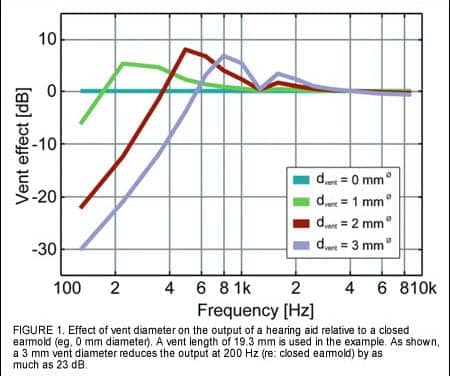
The AISA algorithm is designed to provide an easy and accurate way to assess the overall acoustic effect of the hearing aid/earmold system in-situ.
Read More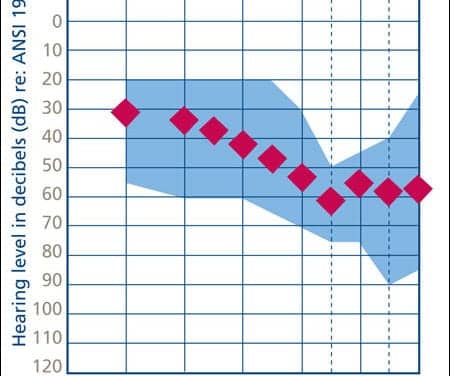
A comparison of a new-generation feedback cancellation algorithm with that of a recent-generation algorithm provides a look at how rapidly this technology is advancing.
Read MoreA new survey, carried out to mark the launch of a partnership between Specsavers Hearcare, Guernsey, United Kingdom, and Deafness Research UK, London, found that 14% of people spend up to 28 hours a week listening to their personal music player.
Read More
Support for the Hearing Aid Tax Credit Assistance Act (HR 414 and S 1060) is now at 105 co-sponsors in Congress and is making fantastic progress. This bill, introduced in the House of Representatives by Jim Ryun (R-
Read More“Bye-bye, bye-bye,” said one 3 and a half-year old child, born deaf but with a cochlear implant that partially restored hearing 9 months earlier. That’s the most complex speech the child uttered during a testing session that involved play with a toy train set.
Read More
Applying basic scientific knowledge about temporal processing to clinical services that involve hearing instrument dispensing.
Read MoreAMI Semiconductor Inc, Pocatello, Idaho, has successfully completed its acquisition of certain assets of Eden Prairie, Minn-based Starkey Laboratories Inc’s integrated circuit design center for approximately $6 million in cash.
Read MoreA report on cognitive-communication disorders, swallowing dysfunction, and ear injuries as a result of combat in Iraq and Afghanistan is highlighted in the recent issue of The ASHA Leader, a publication of the American Speech-Language-Hearing Association (ASHA), Rockville, Md.
Read MoreScientists funded by the Royal National Institute for Deaf People (RNID), London, the national charity for deaf and hard of hearing people in the United Kingdom, have discovered a genetic link between exposure to loud noise and hearing loss.
Read More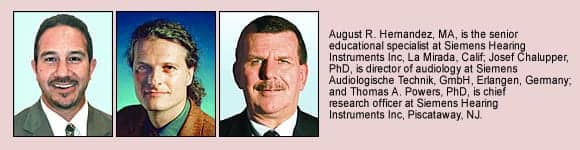
Study suggests that annoyance ratings of sounds for new wearers of digital hearing instruments are equally distributed across intensity and duration.
Read MoreFive school-based practitioners have each won $1,000 in support of their distance AuD education through the Phonak/AFA School-Based Scholarship program.
Read MorePhonak Team member, Floyd Landis, pedaled his way to victory in this week’s Tour de France—with the name of the hearing instrument manufacturer prominently displayed on his racing uniform throughout the race.
Read More
Research finds that, overall, subjects preferred a volume control on a WDRC device, and a significantly higher proportion of experienced hearing aid users preferred a volume control.
Read MoreMicro-Tech Hearing Instruments, Eden Prairie, Minn, has developed a set of newspaper advertisements and a direct mailer to promote its new Radius series of hearing instruments in the consumer marketplace.
Read MoreAccording to Hearing Industries Association (HIA) statistics, net hearing aid sales in the US totaled 1.18 million in the first half of 2006. When comparing the total first-half unit volumes with those from 2005, there were 85,559 more hearing aids sold—a 7.8% increase.
Read More